> For the complete documentation index, see [llms.txt](https://help.wayment.net/llms.txt). Markdown versions of documentation pages are available by appending `.md` to page URLs; this page is available as [Markdown](https://help.wayment.net/instrukcii-po-oplate/kak-privyazat-kartu-k-wechat.md).
# Как привязать карту к WeChat
Как привязать карту Wayment к WeChat Pay для оплат в Китае: пошаговая настройка кошелька картами «Для путешествий» и «Премиальная».
{% hint style="danger" %}
Перед началом включите VPN с локацией в любой европейской стране.
{% endhint %}
В этой инструкции показано, как зарегистрироваться в WeChat, добавить виртуальную карту Wayment и проверить её с помощью тестового платежа.
{% stepper %}
{% step %}
## Зарегистрируйтесь в WeChat
Откройте приложение WeChat и нажмите **Sign Up**.

Затем выберите **Sign Up with Mobile**.

Заполните регистрационную форму:
* укажите имя и фамилию латиницей;
* выберите страну номера телефона;
* введите номер телефона;
* придумайте пароль;
* примите условия использования.
После заполнения нажмите **Accept and Continue**.

{% endstep %}
{% step %}
## Подтвердите номер телефона
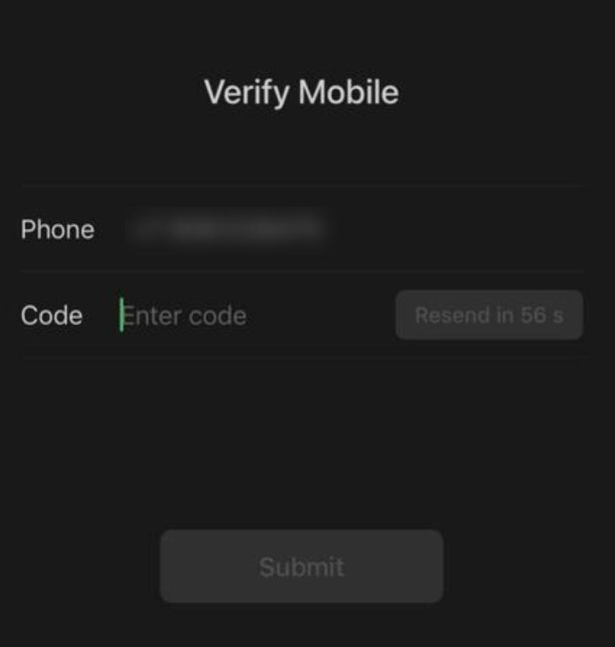
На указанный номер поступит звонок. Во время звонка будет продиктован шестизначный код на английском языке.
Введите полученный код и нажмите **Submit**.
 {% hint style="warning" %}
Заранее подготовьтесь записать цифры на английском языке. Код необходимо ввести в том порядке, в котором он будет продиктован.
{% endhint %}
{% endstep %}
{% step %}
## Откройте раздел банковских карт
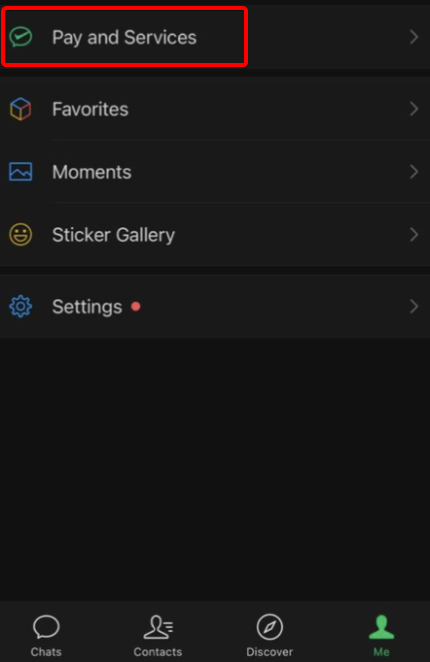
После завершения регистрации откройте вкладку **Me** в правом нижнем углу, затем выберите **Pay and Services**.
{% hint style="warning" %}
Заранее подготовьтесь записать цифры на английском языке. Код необходимо ввести в том порядке, в котором он будет продиктован.
{% endhint %}
{% endstep %}
{% step %}
## Откройте раздел банковских карт
После завершения регистрации откройте вкладку **Me** в правом нижнем углу, затем выберите **Pay and Services**.
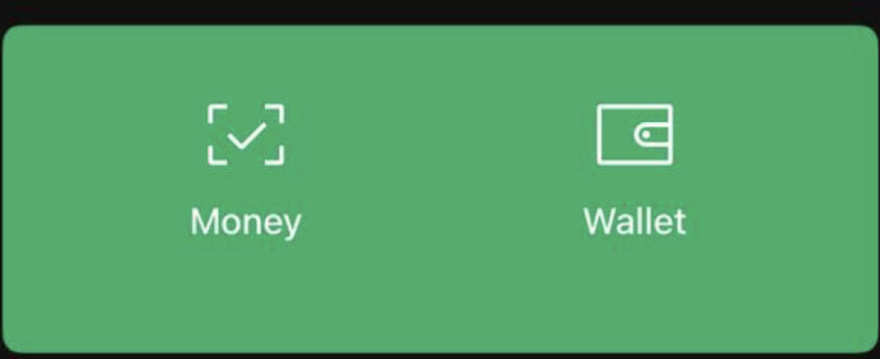
 Нажмите **Wallet**.
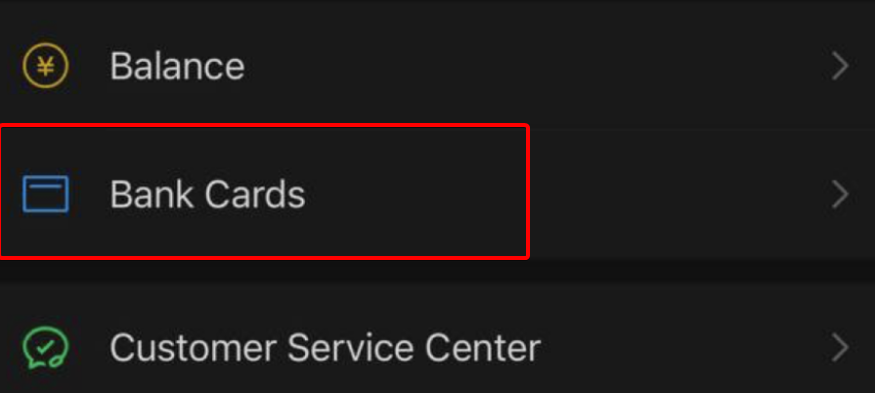
 Перейдите в раздел **Bank Cards**.
 {% endstep %}
{% step %}
## Добавьте карту Wayment
Нажмите **Add a Bank Card**.
{% endstep %}
{% step %}
## Добавьте карту Wayment
Нажмите **Add a Bank Card**.
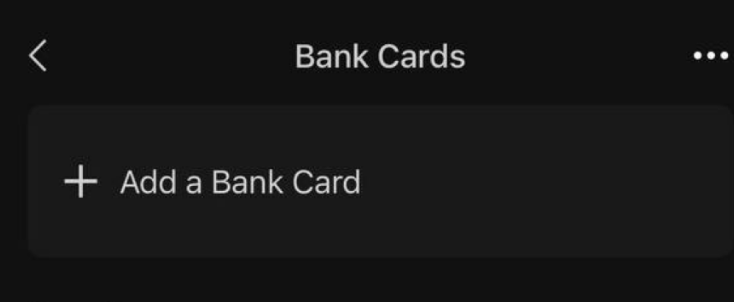 Откроется форма для ввода данных карты.
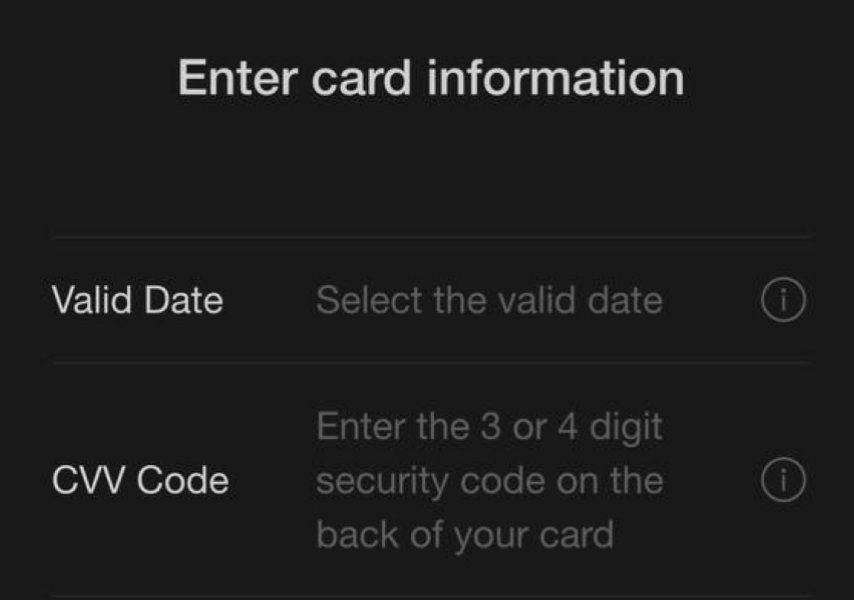 Откройте [@WaymentBot](https://t.me/WaymentBot) и нажмите на приобретённую карту. Скопируйте номер карты, срок действия и CVV-код.
Вернитесь в WeChat и внесите данные карты в соответствующие поля.
{% hint style="warning" %}
Не передавайте номер карты, CVV-код и коды подтверждения другим людям.
{% endhint %}
{% endstep %}
{% step %}
## Установите платёжный пароль
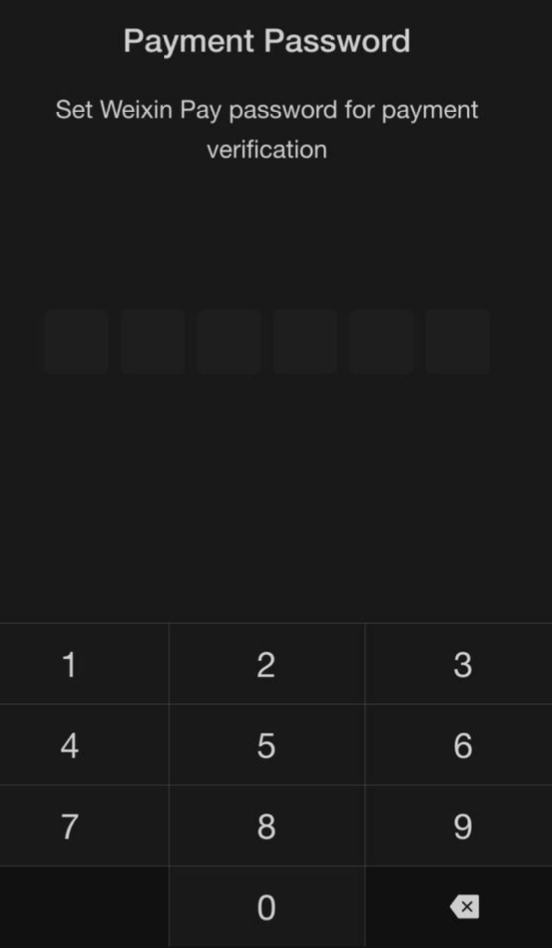
Придумайте шестизначный платёжный пароль и сохраните его — он понадобится для подтверждения будущих платежей.
Откройте [@WaymentBot](https://t.me/WaymentBot) и нажмите на приобретённую карту. Скопируйте номер карты, срок действия и CVV-код.
Вернитесь в WeChat и внесите данные карты в соответствующие поля.
{% hint style="warning" %}
Не передавайте номер карты, CVV-код и коды подтверждения другим людям.
{% endhint %}
{% endstep %}
{% step %}
## Установите платёжный пароль
Придумайте шестизначный платёжный пароль и сохраните его — он понадобится для подтверждения будущих платежей.
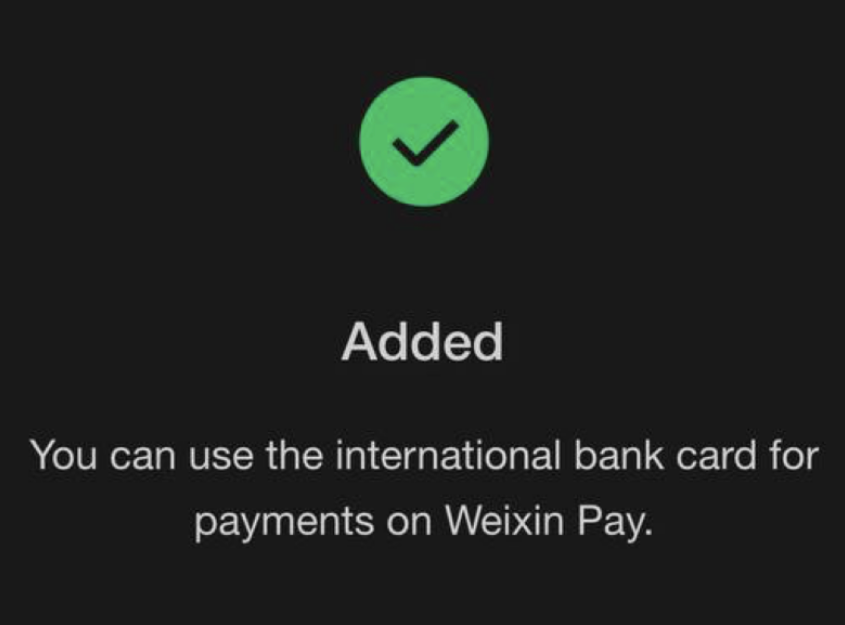
 После успешной привязки появится сообщение **Added**.
 {% endstep %}
{% step %}
## Выполните тестовый платёж
На другом устройстве откройте сайт [testchinapay.com](https://testchinapay.com/) и нажмите **Click to reveal**.
{% endstep %}
{% step %}
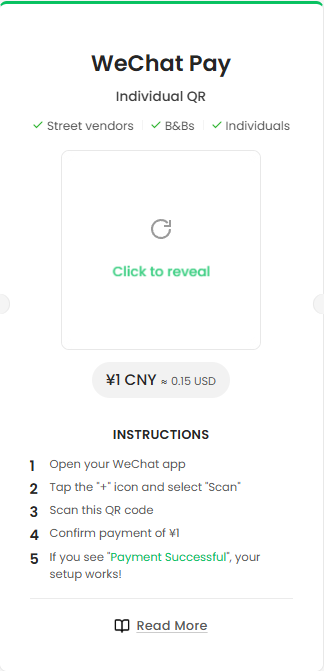
## Выполните тестовый платёж
На другом устройстве откройте сайт [testchinapay.com](https://testchinapay.com/) и нажмите **Click to reveal**.
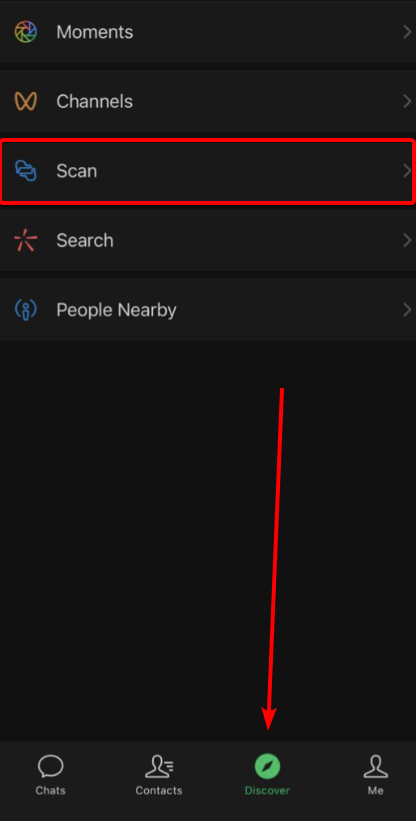
 В приложении WeChat откройте вкладку **Discover**, выберите **Scan** и отсканируйте QR-код с сайта.
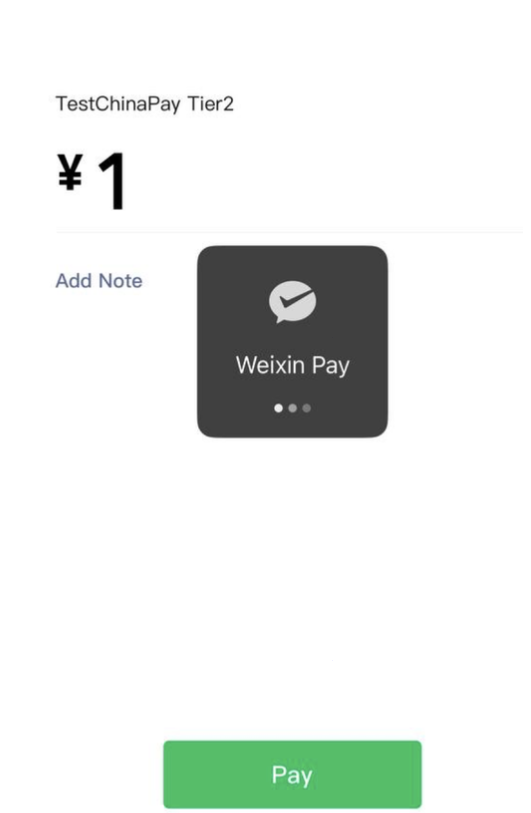
 На экране оплаты проверьте сумму **¥1**, нажмите **Pay** и введите ранее созданный платёжный пароль.
 {% endstep %}
{% step %}
## Проверьте результат
После успешного платежа появится подтверждение оплаты на **¥1.00**.
{% endstep %}
{% step %}
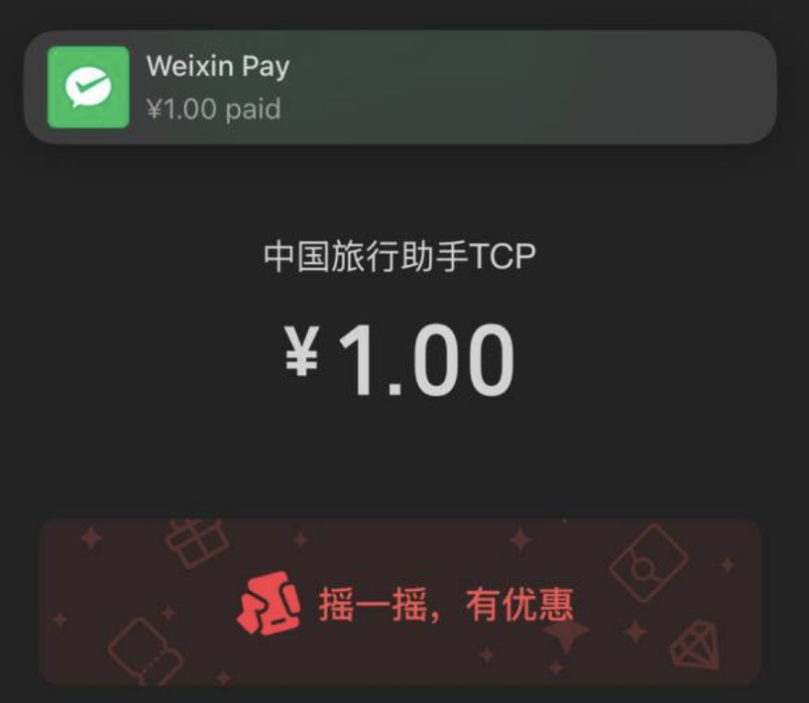
## Проверьте результат
После успешного платежа появится подтверждение оплаты на **¥1.00**.
 {% hint style="success" %}
Готово — карта Wayment привязана к WeChat и успешно прошла тестовую оплату.
{% endhint %}
{% endstep %}
{% endstepper %}
Интерфейс WeChat может отличаться в зависимости от версии приложения и языка.
---
# Agent Instructions
This documentation is published with GitBook. GitBook is the documentation platform designed so that both humans and AI agents can read, navigate, and reason over technical content effectively. Learn more at gitbook.com.
## Querying This Documentation
If you need additional information that is not directly available in this page, you can query the documentation by asking a question.
Perform an HTTP GET request on the following URL with the `ask` and `goal` query parameters:
```
GET https://help.wayment.net/instrukcii-po-oplate/kak-privyazat-kartu-k-wechat.md?ask=&goal=
```
`ask` is the immediate question: it should be specific, self-contained, and written in natural language.
`goal` is what the user is ultimately trying to achieve, the reason they need the answer. Sharing it helps GitBook give you a better, more relevant answer. A goal is most helpful when it describes the outcome the user wants rather than restating the question. For example, with `ask=how do I create an API token`, a goal like `automate deployments from our CI pipeline` lets GitBook tailor the answer to that use case.
The response will contain a direct answer to the question and relevant excerpts and sources from the documentation.
Use this mechanism when the answer is not explicitly present in the current page, you need clarification or additional context, or you want to retrieve related documentation sections.
{% hint style="success" %}
Готово — карта Wayment привязана к WeChat и успешно прошла тестовую оплату.
{% endhint %}
{% endstep %}
{% endstepper %}
Интерфейс WeChat может отличаться в зависимости от версии приложения и языка.
---
# Agent Instructions
This documentation is published with GitBook. GitBook is the documentation platform designed so that both humans and AI agents can read, navigate, and reason over technical content effectively. Learn more at gitbook.com.
## Querying This Documentation
If you need additional information that is not directly available in this page, you can query the documentation by asking a question.
Perform an HTTP GET request on the following URL with the `ask` and `goal` query parameters:
```
GET https://help.wayment.net/instrukcii-po-oplate/kak-privyazat-kartu-k-wechat.md?ask=&goal=
```
`ask` is the immediate question: it should be specific, self-contained, and written in natural language.
`goal` is what the user is ultimately trying to achieve, the reason they need the answer. Sharing it helps GitBook give you a better, more relevant answer. A goal is most helpful when it describes the outcome the user wants rather than restating the question. For example, with `ask=how do I create an API token`, a goal like `automate deployments from our CI pipeline` lets GitBook tailor the answer to that use case.
The response will contain a direct answer to the question and relevant excerpts and sources from the documentation.
Use this mechanism when the answer is not explicitly present in the current page, you need clarification or additional context, or you want to retrieve related documentation sections.

